Angular Upgrade Assistant
Angular Upgrade Assistant is an AI-enabled solution designed to streamline and simplify the process of upgrading Angular projects to newer Angular versions. Built with Vue.js and Vite, it provides an intuitive UI for managing dependency upgrades and fixing build errors.
Use Case
When you need to upgrade an Angular project to a newer Angular version, this application provides a UI for the AI-enabled upgrade assistant, which speeds up and simplifies the process of upgrading project dependencies and fixing build errors.
Angular Upgrade Assistant Requirements
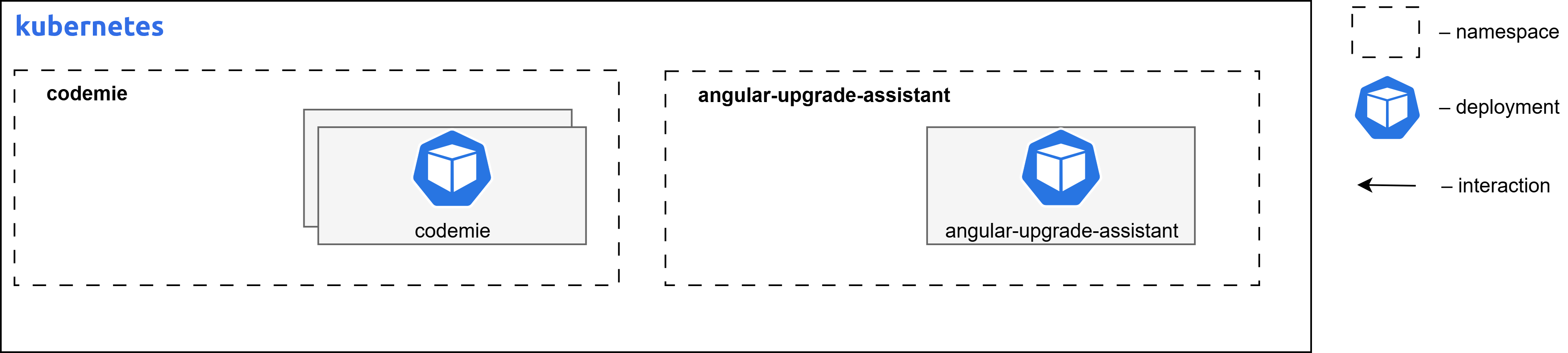
The diagram below depicts the Angular Upgrade Assistant deployed on Kubernetes infrastructure within a cloud environment.
Container Resource Requirements
| Component Name | Replicas | Memory | CPU (cores) |
|---|---|---|---|
| angular-upgrade-assistant | 1 | 128Mi | 0.1 |
Component Overview
| Component name | Images | Description |
|---|---|---|
| angular-upgrade-assistant | europe-west3-docker.pkg.dev/or2-msq-epmd-edp-anthos-t1iylu/prod/angular-upgrade-assistant | Frontend UI application, part of Angular Upgrade AI Assistant solution to upgrade Angular projects to newer Angular versions. Built with Vue.js and Vite and based on CodeMie UI. Works together with Angular Upgrade AI Assistant server, which is a separate Python application. |
Install Angular Upgrade Assistant Extension Component
Follow these steps to install the Angular Upgrade Assistant:
Step 1: Configure Values File
Fill in missing values in values.yaml file in codemie-helm-charts/codemie-extensions/angular-upgrade-assistant by replacing %%DOMAIN%% with your domain name, e.g., example.com.
Step 2: Install Helm Chart
Install the angular-upgrade-assistant Helm chart in the created namespace, applying the custom values file with the following command:
helm upgrade --install angular-upgrade-assistant oci://europe-west3-docker.pkg.dev/or2-msq-epmd-edp-anthos-t1iylu/helm-charts/angular-upgrade-assistant \
--version x.y.z \
--namespace "codemie" \
-f "./codemie-extensions/angular-upgrade-assistant/values-<cloud_name>.yaml" \
--wait --timeout 180s
Step 3: Access the Application
AI/Run CodeMie UI can be accessed by the following URL:
- URL Pattern:
https://codemie.%%DOMAIN%%/apps/angular-upgrade-assistant/ - Example:
https://codemie.example.com/apps/angular-upgrade-assistant/
Next Steps
- Return to Extensions Overview
- Configure other extensions