Initial Realm Setup
This is a one-time configuration step that must be completed before creating any users. It enables Keycloak to store custom attributes required for AI/Run CodeMie's project access control system.
Configuration Steps
Follow these steps to enable unmanaged attributes in the Keycloak realm:
1. Open the Keycloak Console
Navigate to your Keycloak admin console URL (typically https://keycloak.<your-domain>).
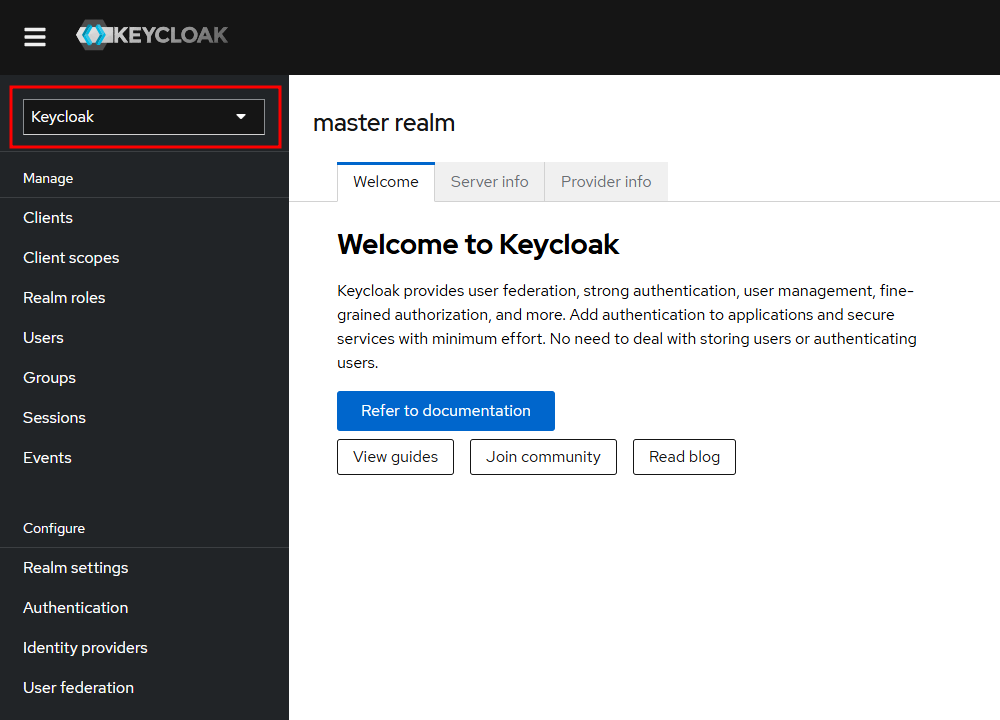
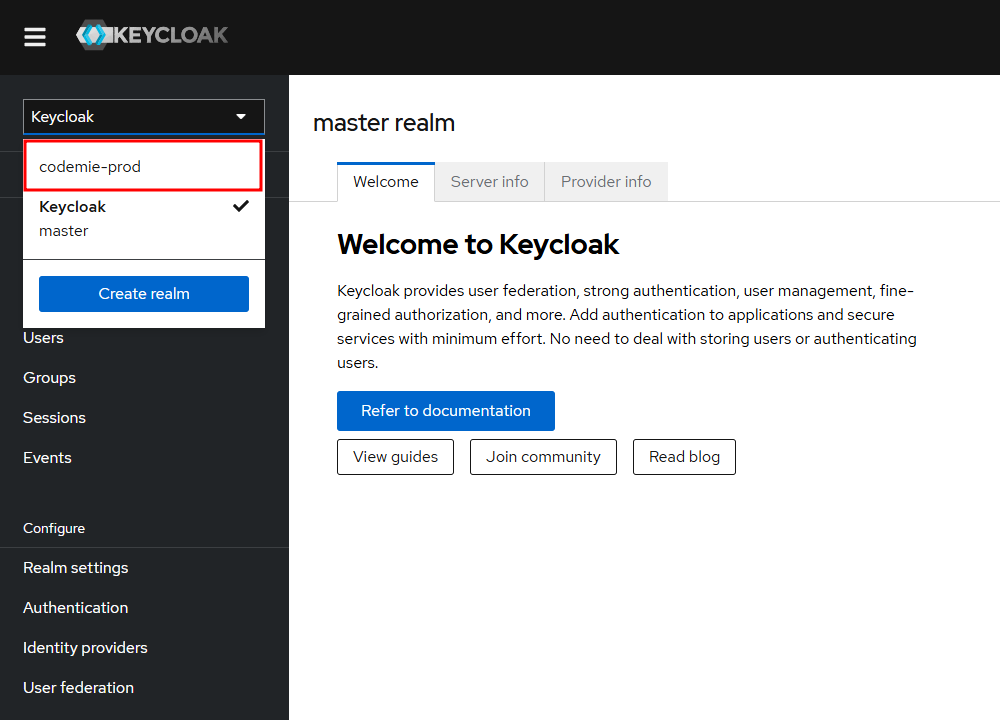
2. Select the Correct Realm
Choose the codemie-prod realm from the dropdown at the top left corner of the interface.
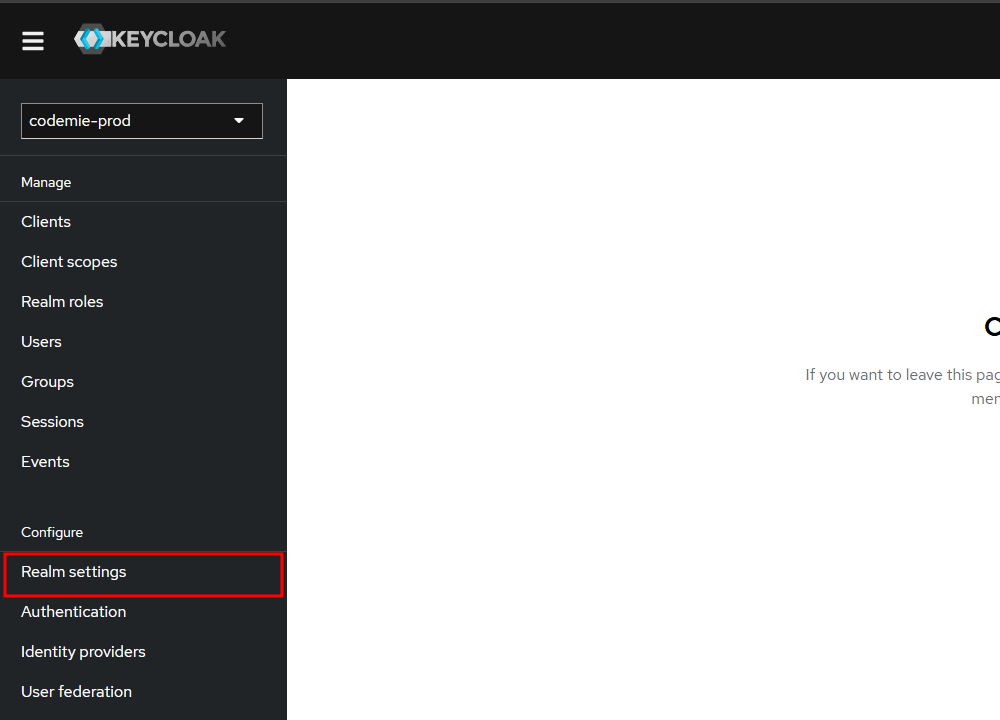
3. Navigate to Realm Settings
Click on Realm Settings in the left sidebar menu.
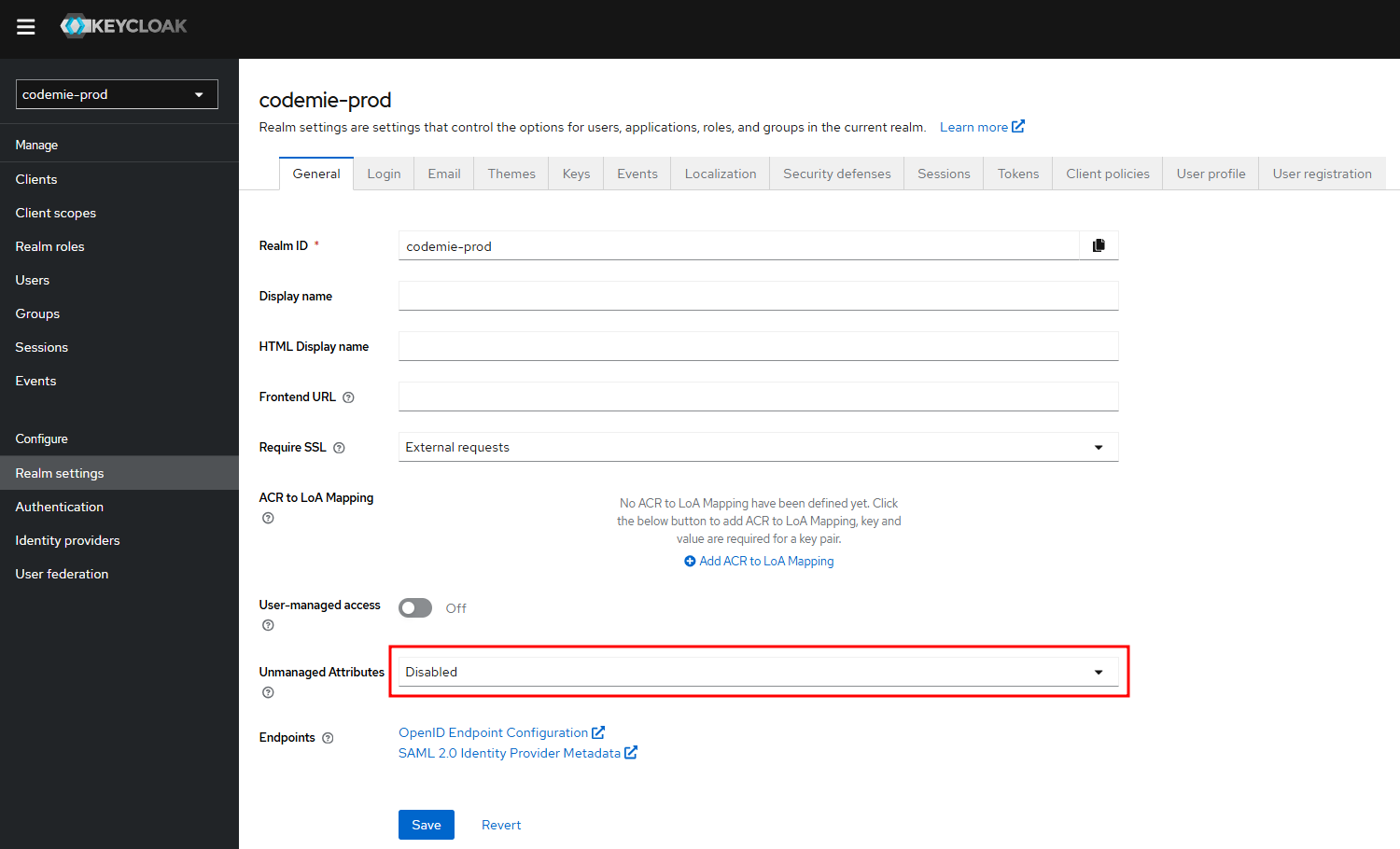
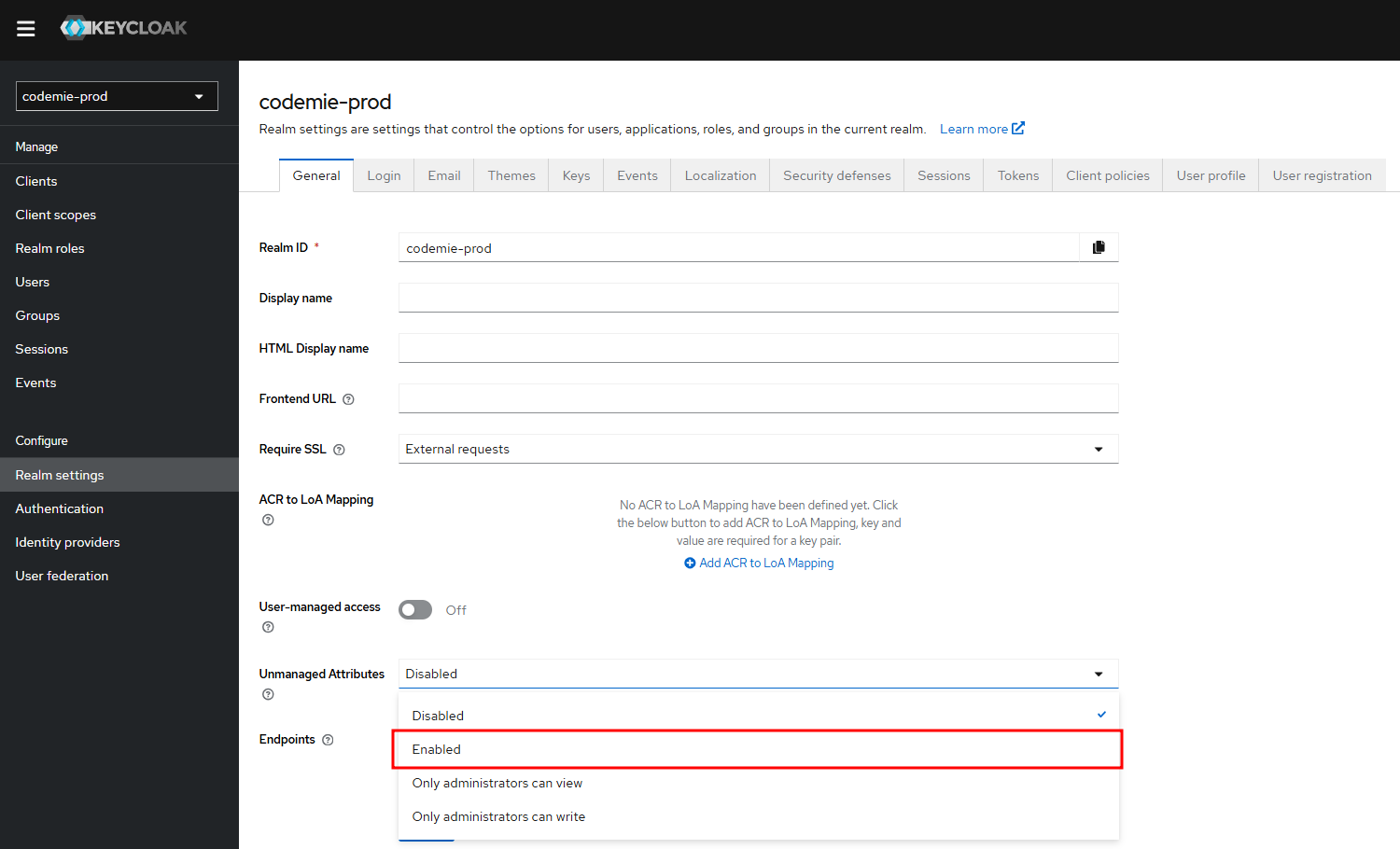
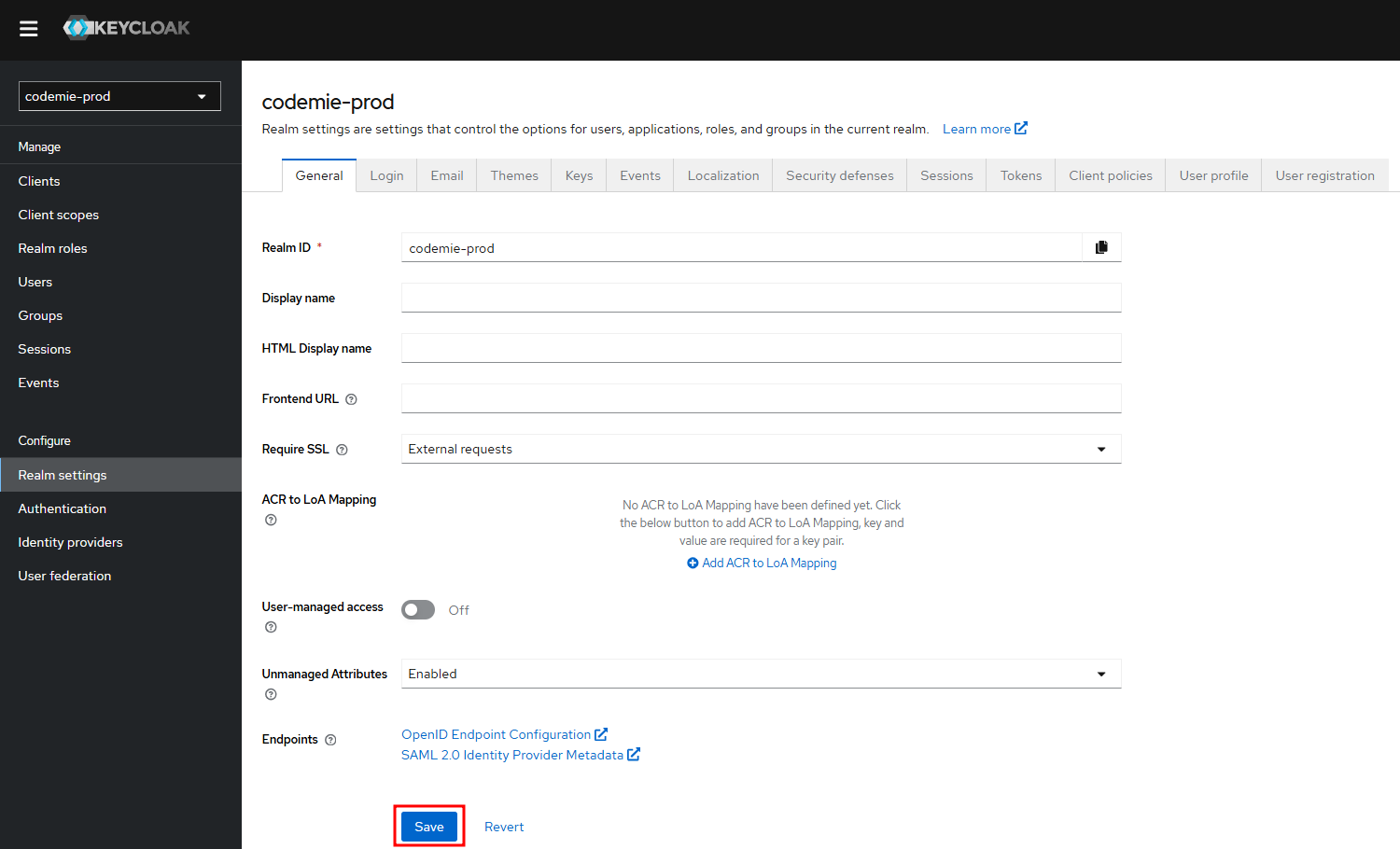
4. Enable Unmanaged Attributes
- Scroll down to find the Unmanaged Attributes parameter
- Select Enabled from the dropdown
- Click Save to apply the changes
Next Steps
With realm setup complete, you can now proceed to:
- User Provisioning - Create users using your preferred method
- If you already have users created, proceed to User Authorization