Indexing Duration
Understanding the time required for indexing different data sources.
When indexing data sources in AI/Run CodeMie, it's important to understand that indexing can be time-consuming, depending on the size and complexity of the data source. This guide helps you understand expected indexing durations and how to optimize the process.
Expected Indexing Time
Duration can range from a few minutes to up to 30-60 minutes, depending on:
- Data source size: Larger repositories or datasets take longer to index
- Data complexity: Complex file structures and relationships increase processing time
- File types: Some file formats require more processing than others
- Network speed: For remote data sources, network bandwidth affects indexing speed
- System resources: Available CPU and memory impact indexing performance
Network speed and system resources are managed by AI/Run CodeMie infrastructure. These estimates reflect typical performance under normal load conditions.
Monitoring Indexing Progress
You can monitor the indexing progress by clicking the Indexing tab in the data source details:

The indexing progress view shows:
- Current indexing status
- Percentage of completion
- Estimated time remaining (when available)
- Number of files/items processed
- Any errors or warnings encountered
Optimizing Indexing Duration
1. Specify Relevant File Extensions
To expedite the process, specify relevant file extensions, ensuring only necessary files are indexed.
Benefits:
- Reduces total data volume to process
- Focuses indexing on relevant content
- Decreases overall indexing time
- Improves search relevance
How to specify file extensions:
- Configure file patterns during data source creation
- Use inclusion/exclusion filters
- Define specific file types for your use case
For Git repositories, use file patterns to exclude:
!node_modules/,!vendor/- dependency folders!*.min.js- minified files!dist/,!build/- build artifacts This can reduce indexing time by 50% or more.
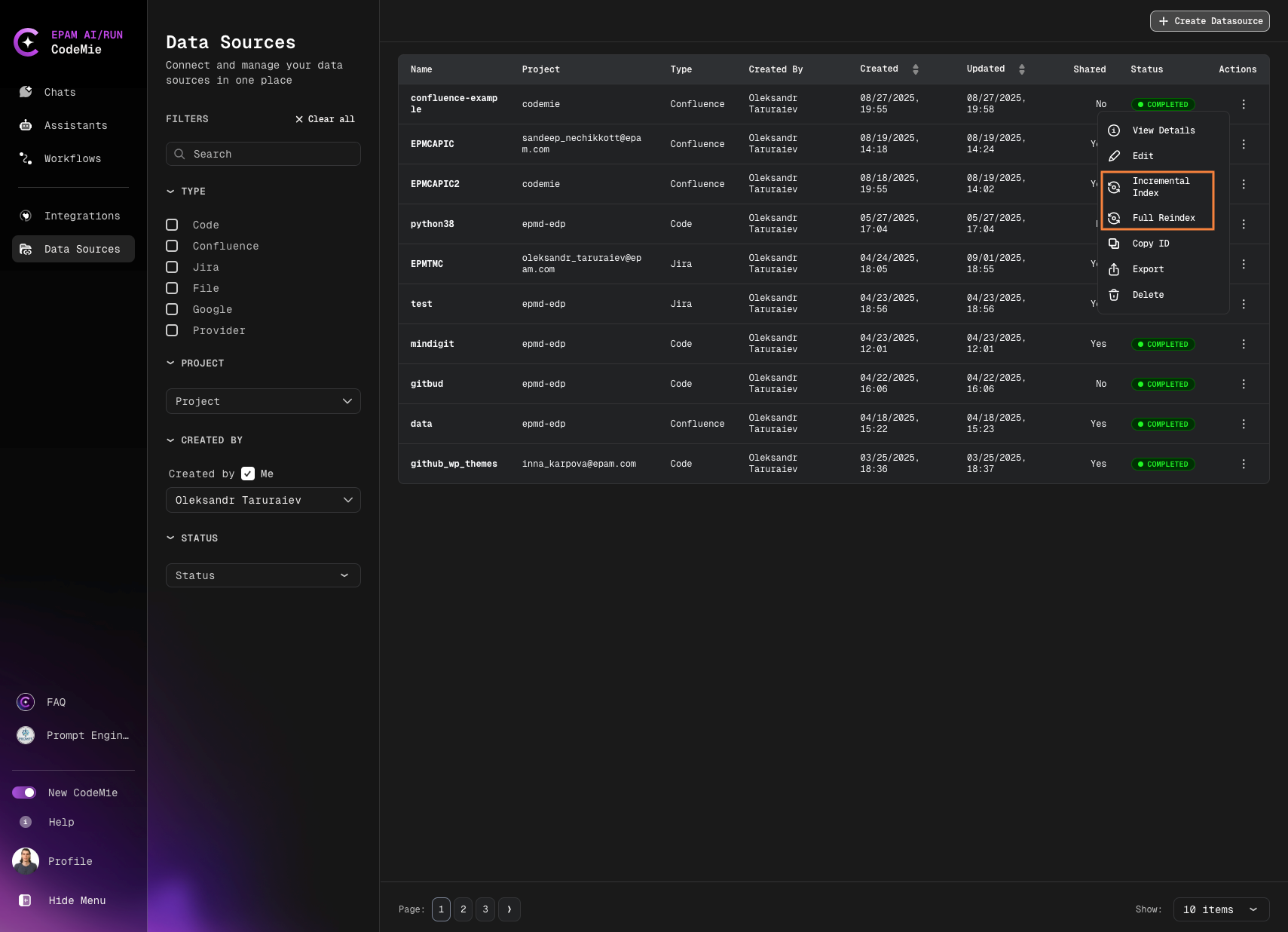
2. Use Incremental Indexing
For existing repository indexes, you can perform:
- Incremental reindex: Only new or changed data (exclusively for Jira/Confluence datasources)
- Full reindex: Re-create the index from scratch with the same settings
Access these options in the Actions dialog by clicking respective icon buttons with tooltips:
Indexing Time by Data Source Type
| Data Source Type | Small | Medium | Large | Key Factors Affecting Duration |
|---|---|---|---|---|
| Git Repositories | 2-5 min (< 100 files) | 5-15 min (100-1000 files) | 15-60 min (1000+ files) | Number of files, file sizes, repository history depth, code complexity |
| Confluence Pages | 2-5 min (< 50 pages) | 5-20 min (50-500 pages) | 20-45 min (500+ pages) | Number of pages, page content size, attachments, embedded media |
| Jira Projects | 2-5 min (< 100 issues) | 5-15 min (100-1000 issues) | 15-40 min (1000+ issues) | Number of issues, custom fields, attachments, comments volume |
| File Data Sources | 1-3 min (< 10 files) | 3-10 min (10-100 files) | 10-30 min (100+ files) | Number of files, total file size, file formats, document complexity |
| Google Docs | 2-5 min (< 20 docs) | 5-15 min (20-100 docs) | 15-35 min (100+ docs) | Document size, embedded content |
These are estimated ranges based on typical usage. Your actual indexing time depends on content complexity, concurrent system load, and data source configuration.
Now you understand indexing duration expectations and can plan your data source indexing strategy effectively.