Exporting Workflow Execution
This functionality allows you to export information about the execution steps of a workflow as a zip archive containing Markdown or HTML files. Each file includes details about a specific step and its status.
Export Current Execution
After a workflow has finished running:
-
Locate and click the Export as button on the execution page.
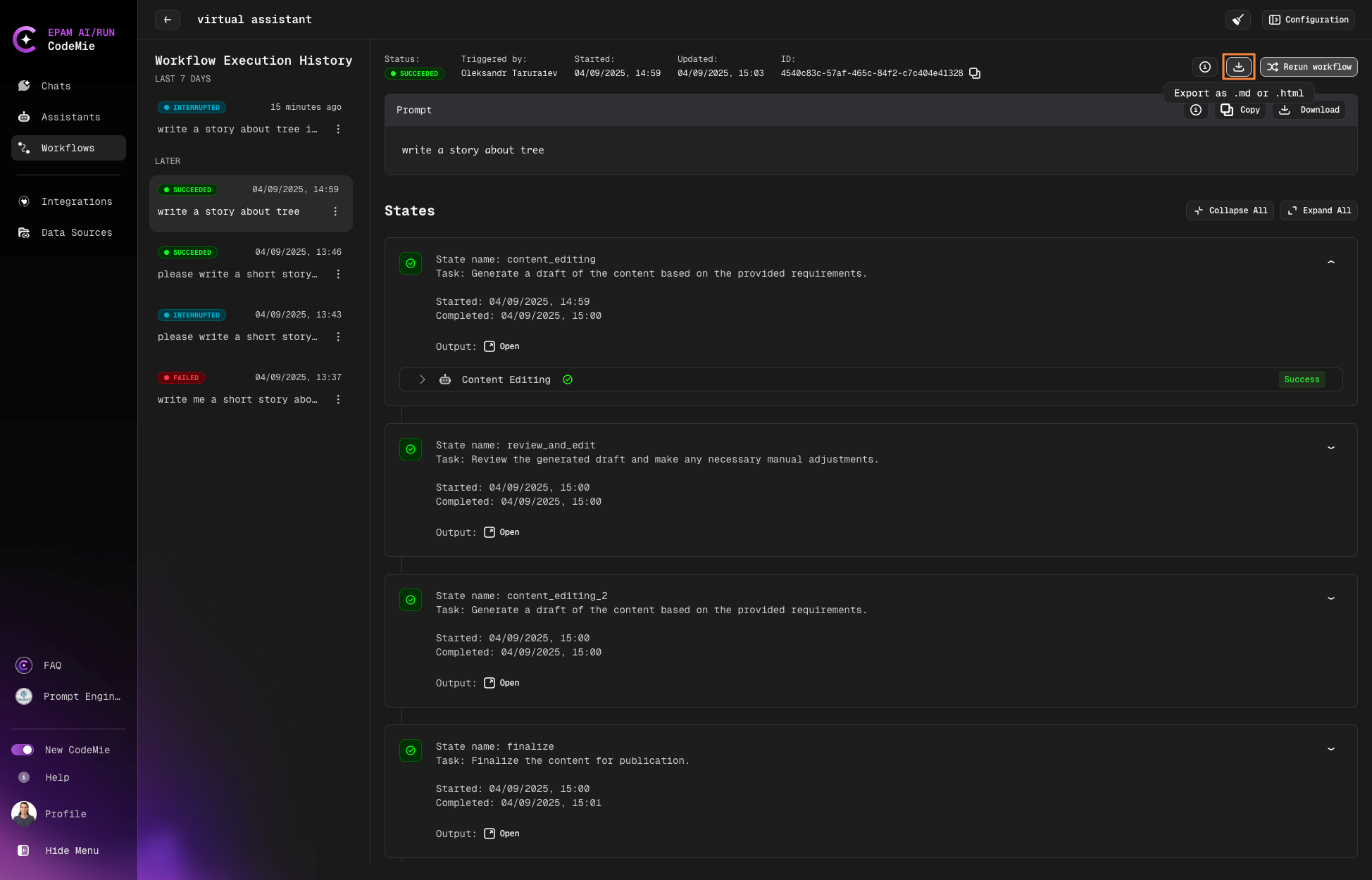
-
Choose your preferred export format (Markdown or HTML).
-
Optionally, check Combine results into a single file to merge all steps into one file instead of separate files.
When you combine results into a single file, the zip archive will contain one consolidated file instead of a folder with multiple files.
Export Previous Executions
To export a previous workflow execution:
-
Navigate to your workflow and click on its card.
-
Find the execution you want to export in the execution history.
-
Click the Download button for that execution.
-
Select your preferred format and click Export.
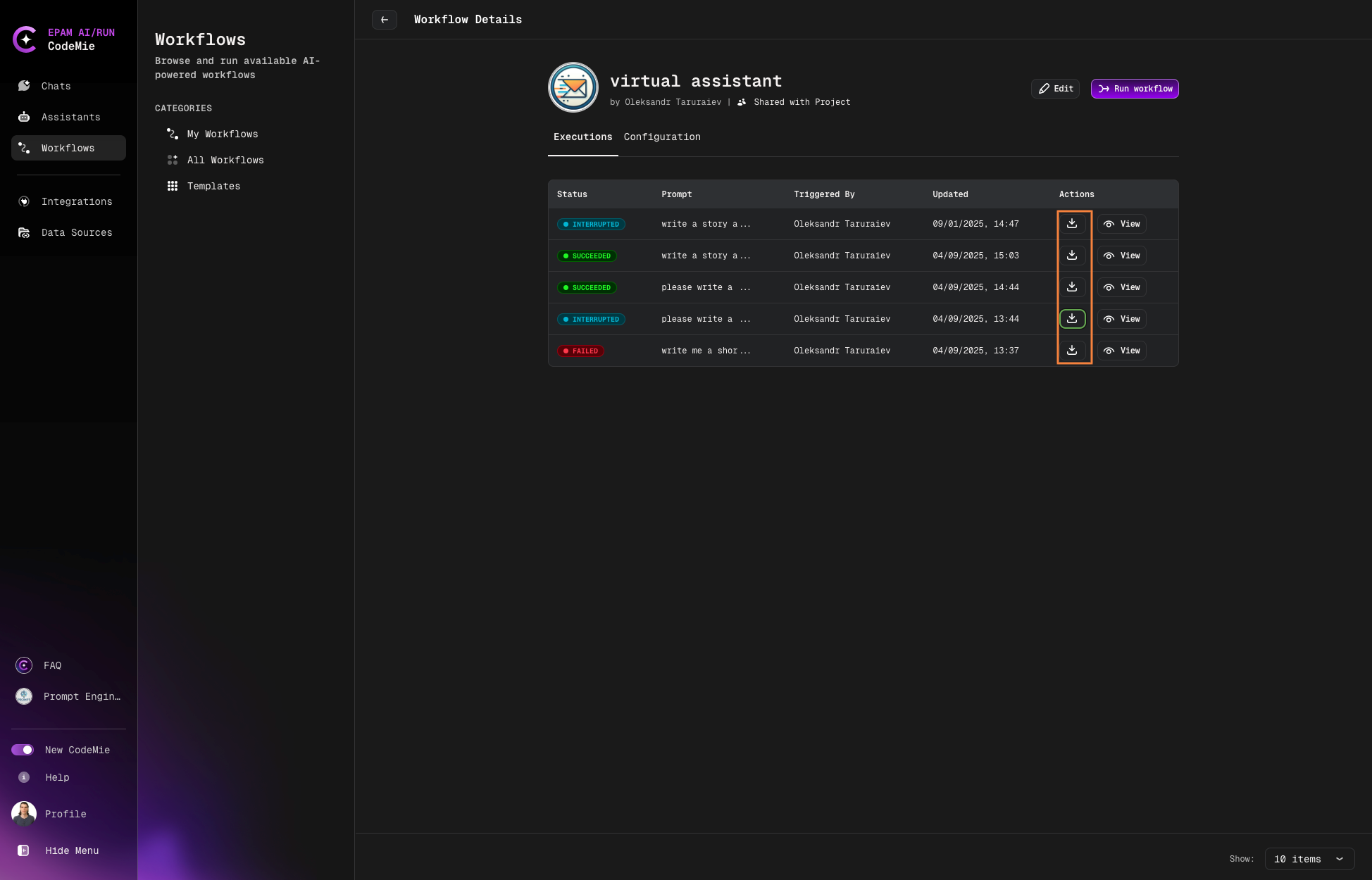
Archive Structure
The system automatically generates a zip archive containing the exported data. Once generated, the archive will be available for download immediately.
Archive Naming
The archive follows this naming pattern:
workflow_name_execution_datetime_execution_id.zip
Where:
workflow_name- The name of the workflowexecution_datetime- The date and time of executionexecution_id- The unique identifier for the execution
File Structure
Inside the archive, each execution step is represented by a separate file:
Standard file naming:
step_name_status.md
Where:
step_name- The name of the stepstatus- The execution status (e.g., "success" or "failed")
Repeated steps naming:
If a step runs multiple times, the file includes an iteration number:
step_name_iteration_number_status.md
Examples: ProcessData_1_success.md, ProcessData_2_failed.md
Example
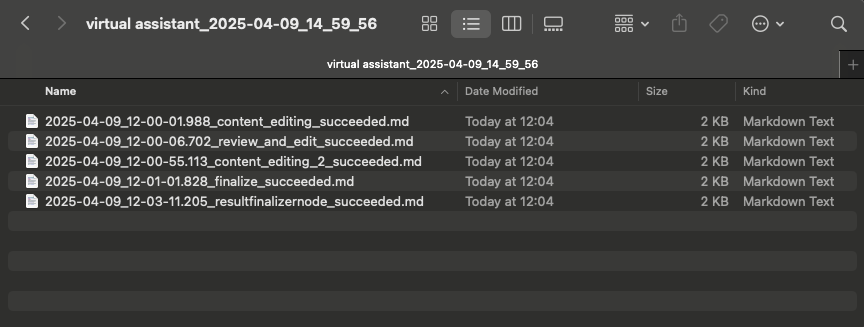
-
Ensure that the workflow execution has been completed before exporting.
-
The archive will be available for download immediately after it is generated.
-
File and archive names strictly follow the defined naming conventions to simplify analysis and archiving.