Codebase Tools
Codebase Tools were designed to help users navigate and search data within data sources. These things work as a "tree" tool in Linux or as an AI-powered search engine. Codebase Tools include four main components:
Available Tools
Get Repo Tree with filtering
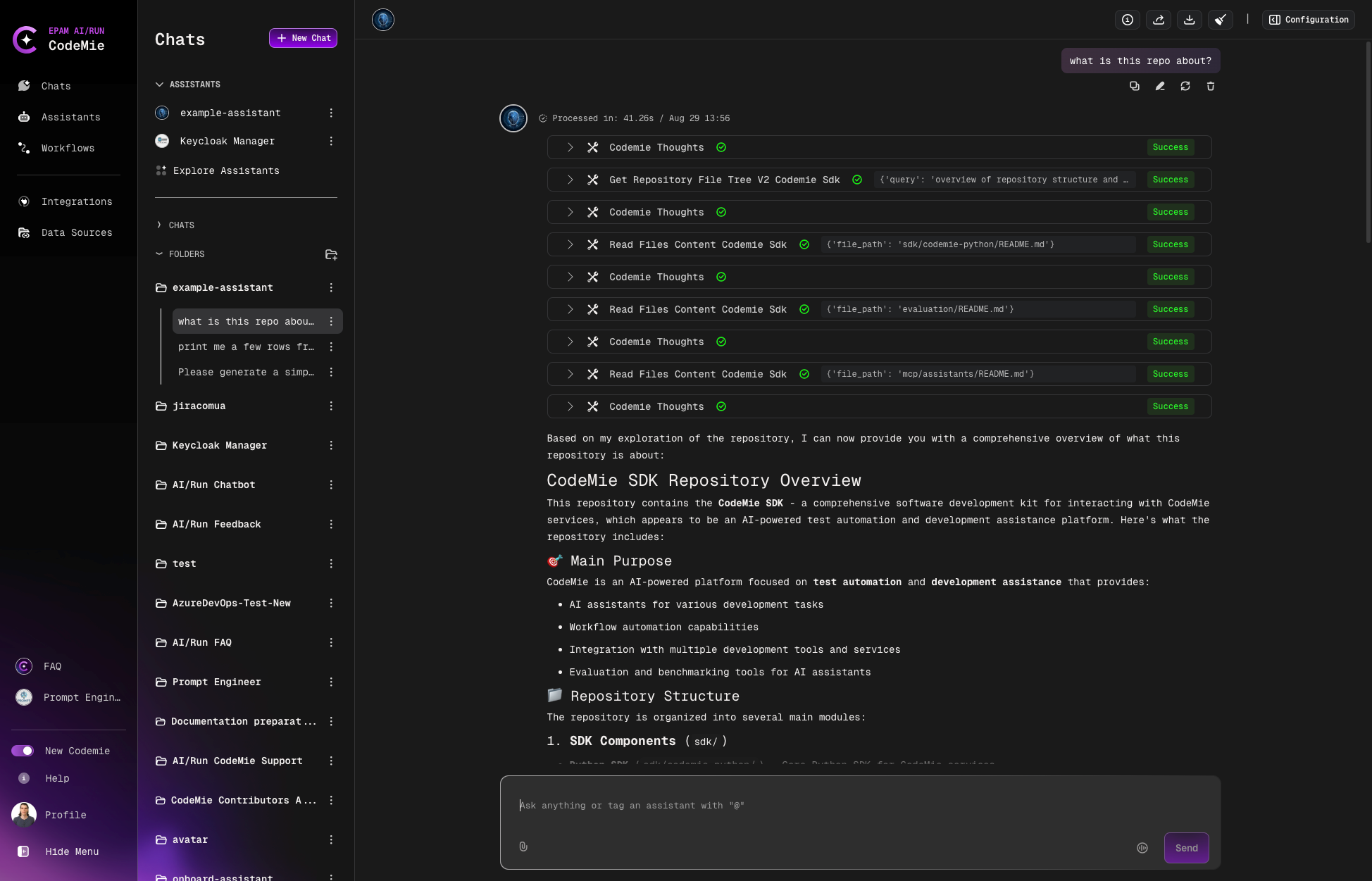
This tool allows assistants to build a file tree for a data source. As a result, users will get a sorted file diagram of a data source. These tools work solely with Git data source type.
Search Code with filtering
This tool works as a powerful search. Not only can it search files or text but also allows it to identify logical patterns, keywords, queries, etc. For example, a user can ask an assistant to show a file with code that imports a library that stores mathematical functions or contains more than five classes declared.
Read Files Content
Tool allows you to directly access and read the content of a specific file within the code repository. Provided you know the file path or name. This tool is particularly useful when you need detailed information about a particular file without the need for broader search across the repository. To use this tool, simply provide the file path of the file you wish to read. The tool will return the content of the specified file or files.
This tool is efficient for pinpointing and retrieving the contents of individual files, making it a valuable resource when precise file content is required.
Read Files Content With Summary
Tool allows you to directly access and read the content of a specific file within the code repository, provided you know the file path or name. This enhanced version of the file reader automatically handles large files by providing intelligent summaries when the content exceeds token limits.
Key features:
- Reads full content for files within token limits
- Automatically summarizes larger files while preserving key information
- Focuses summaries on main functionality, purpose, and key components
- Maintains original file source information
To use this tool, simply provide the file path of the file you wish to read.
The tool will return either the complete content or a summarized version, depending on the file size.
This tool is particularly useful when dealing with large codebases or files, as it ensures you get the most relevant information while staying within system limits. If you receive a summary, it will be clearly marked as such.
Setup
These tools don't require any integration to set up. Instead, they need a Data Source to work with. To use these tools, you need to enable them on the available tools list:

Usage Example
The Get Repo Tree with filtering tool is activated when asking a question related to a repository structure: