Quality Assurance with Jira Zephyr Scale Addon
The purpose of Quality Assurance tools within AI/Run CodeMie, particularly in the context of integrating with external services like Zephyr Scale addon for Jira Cloud, is to enhance and streamline the QA processes involved in software development.
1. Create Zephyr Scale API Access Token
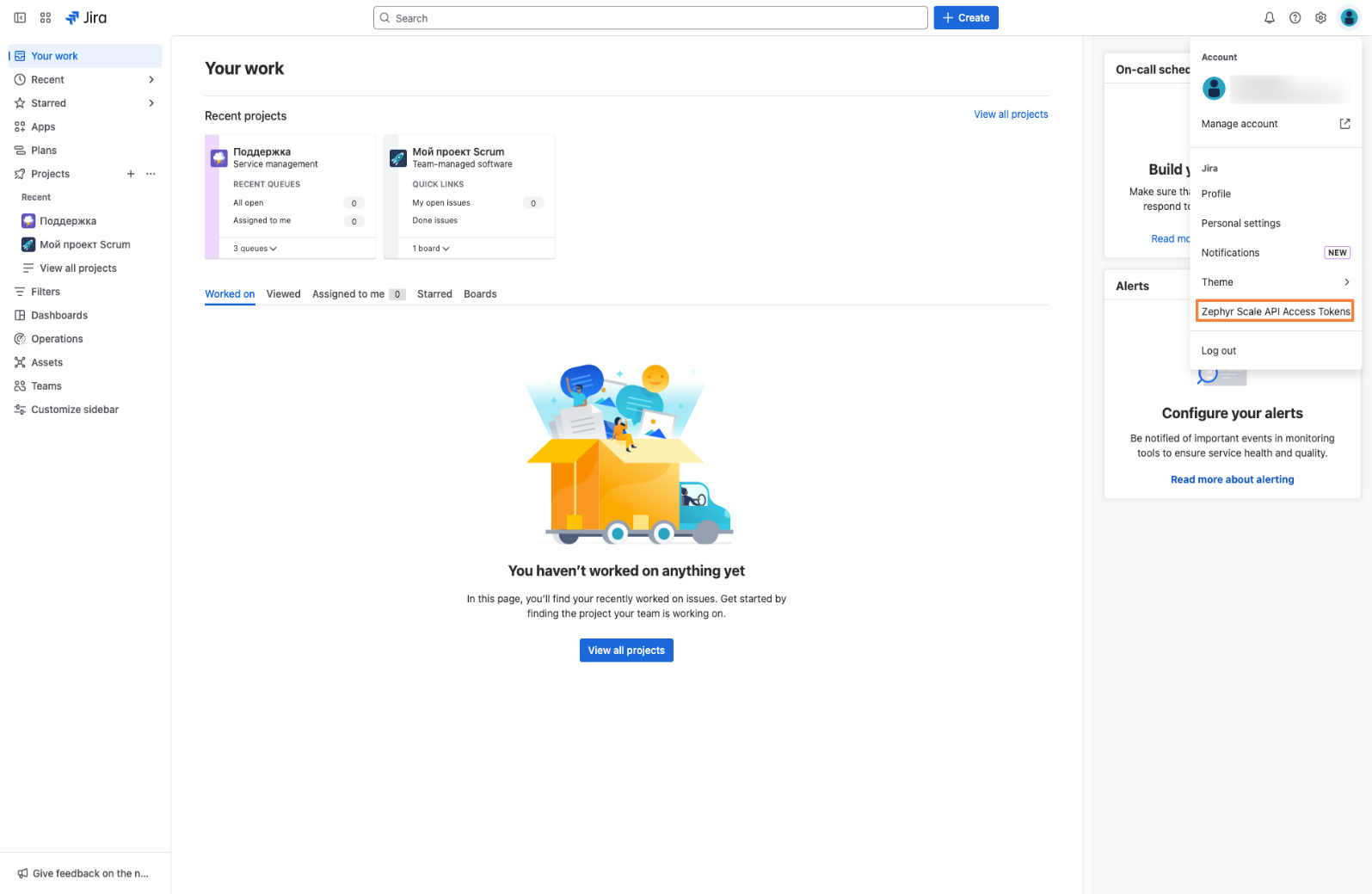
1.1. In Jira cloud click on profile icon and click Zephyr Scale API Access Tokens:
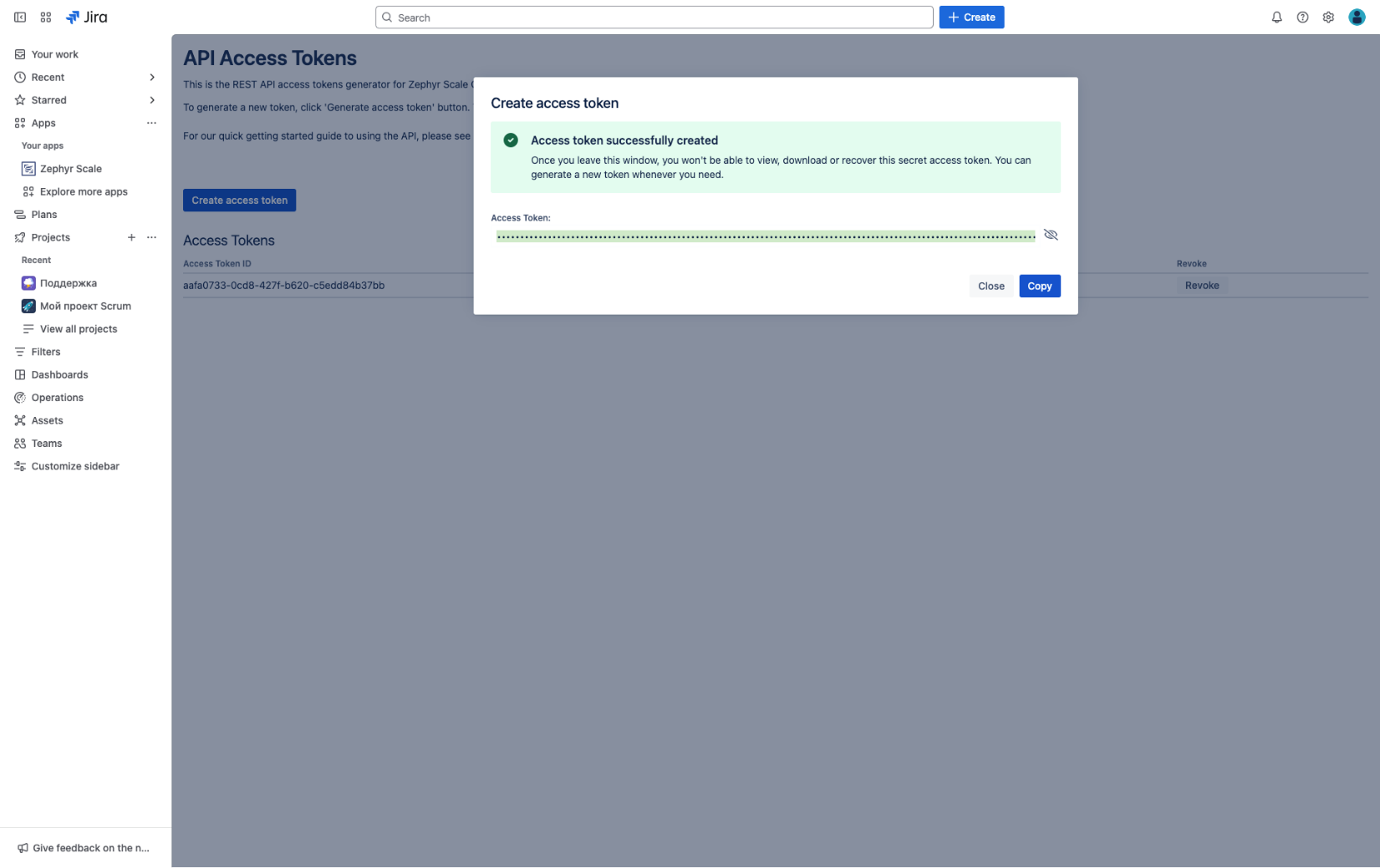
1.2. Click Create access token and click copy button:
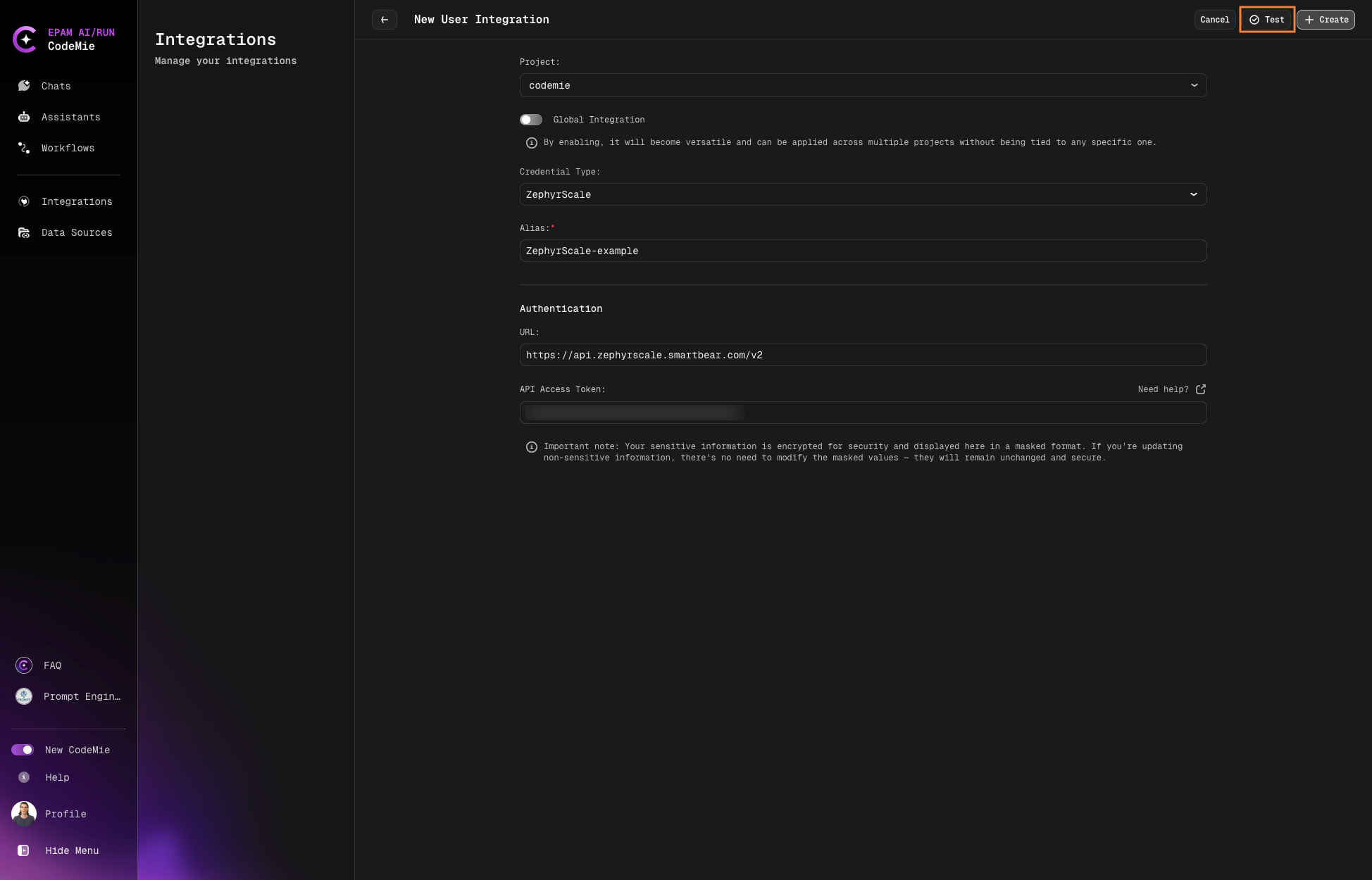
2. Configure Integration in AI/Run CodeMie
2.1. Select User or Project and click the Create.
2.2. (optional) You can Test integration.
3. Create Assistant with Quality Assurance Tool
3.1. Click Explore Assistant, Click Create Assistant fill in the following parameters:
-
Project Name: Select the name of your project.
-
Name: Specify the assistant name.
-
Description: Specify description.
-
System Instructions: Specify system instructions.
-
Available tools: Quality Assurance and select from drop down list Zephyr Cloud.
3.2. Click Create.