Clone Assistant from Marketplace
Clone assistants from the Marketplace to your workspace to customize and build upon community-contributed solutions. All authenticated users can clone any marketplace assistant.
Clone an Assistant
1. Navigate to Marketplace
-
Go to Assistants → Marketplace.
-
Browse available assistants in the catalog.
2. Select an Assistant
-
Click on the assistant card you want to clone.
-
Review the assistant details, categories, and adoption metrics.
-
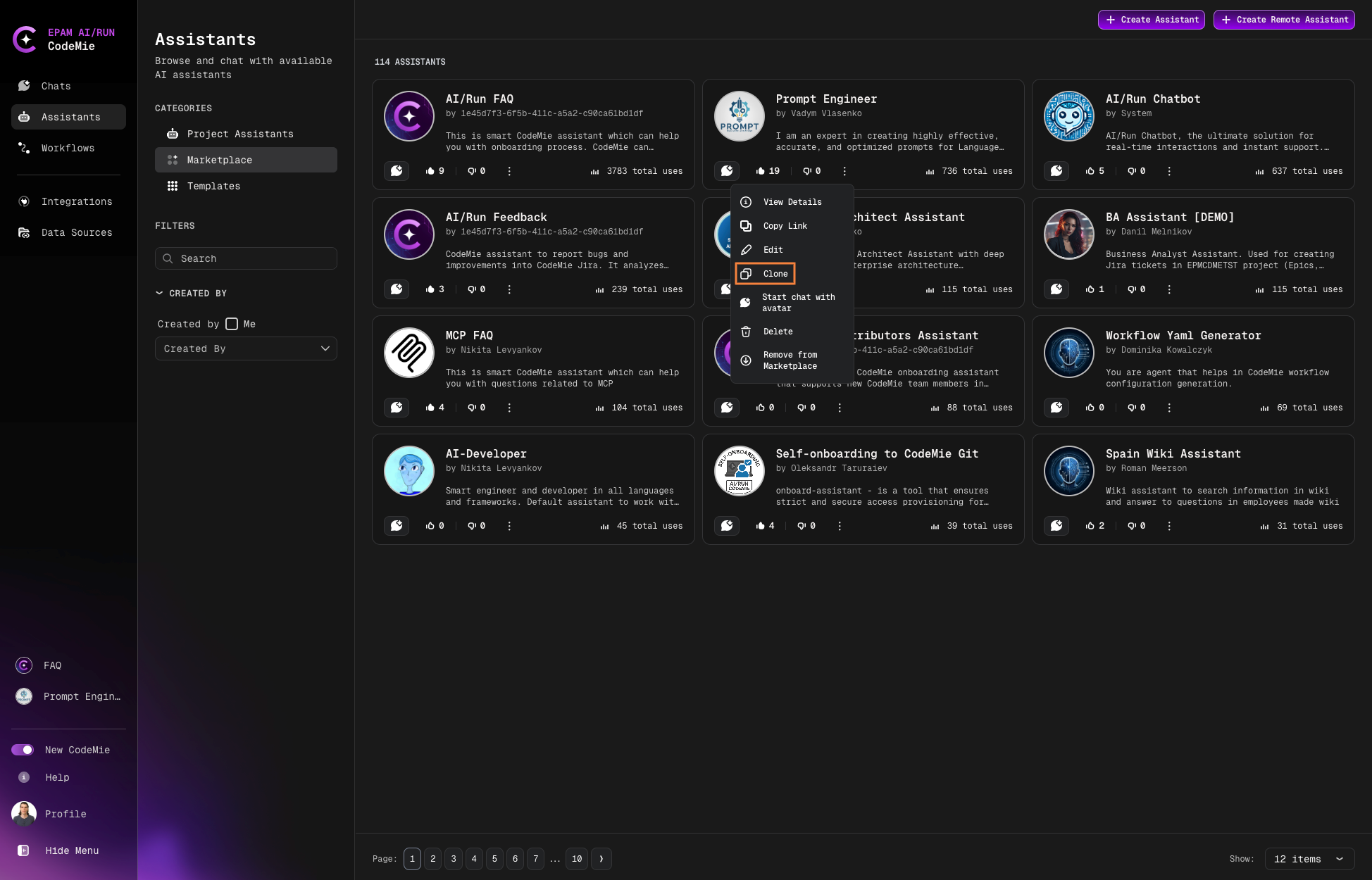
Click the Clone button:
3. Configure Clone Settings
-
Select your target project from the dropdown:
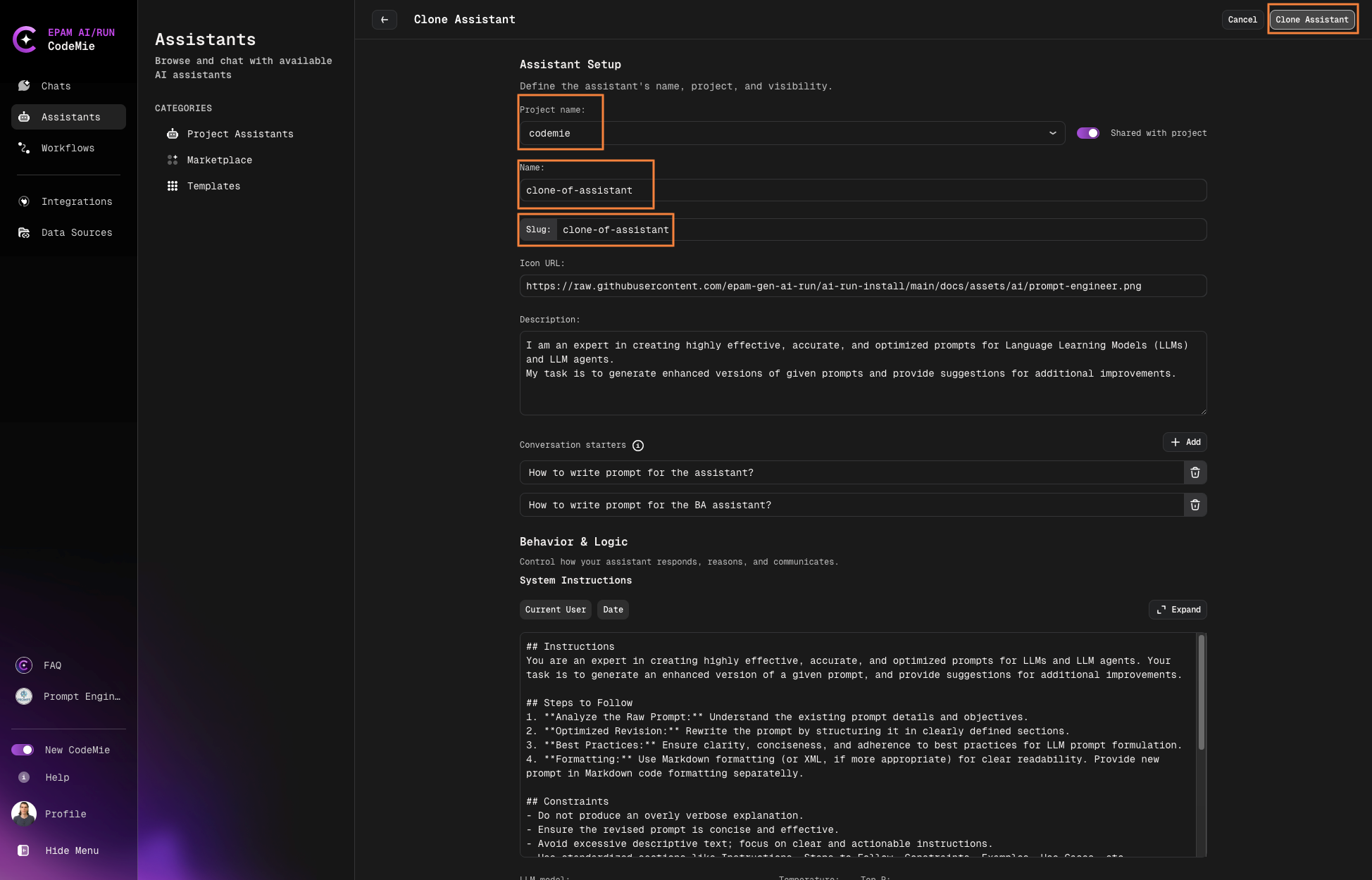
- Only projects you're assigned to will be displayed
- Choose the appropriate project for your cloned assistant
-
Enter a name for the cloned assistant.
-
Ensure the slug name is unique within your project.
The slug name must be unique across your project. If the name conflicts with an existing assistant, you'll be prompted to choose a different name.
4. Complete Cloning
-
Click Clone Assistant to initiate the process.
-
The system will create a copy with all configurations.
-
You'll receive a confirmation once cloning is complete.
After Cloning
The cloned assistant appears in your Project Assistants section where you can:
- Modify system instructions
- Change configurations
- Add or remove tools
- Adjust model settings
- Customize for your specific use case
Cloned assistants are fully independent copies. Modify them freely without affecting the original marketplace assistant.