Export Assistant Chat Messages
Export assistant responses and entire conversations to various formats for documentation, sharing, or archiving. AI/Run CodeMie preserves markdown formatting, code blocks, tables, and images during export.
Export Individual Messages
Export a specific assistant response from the conversation.
Prerequisites
- Active assistant chat with at least one response
- Authentication required
Export Steps
-
Locate the assistant message you want to export.
-
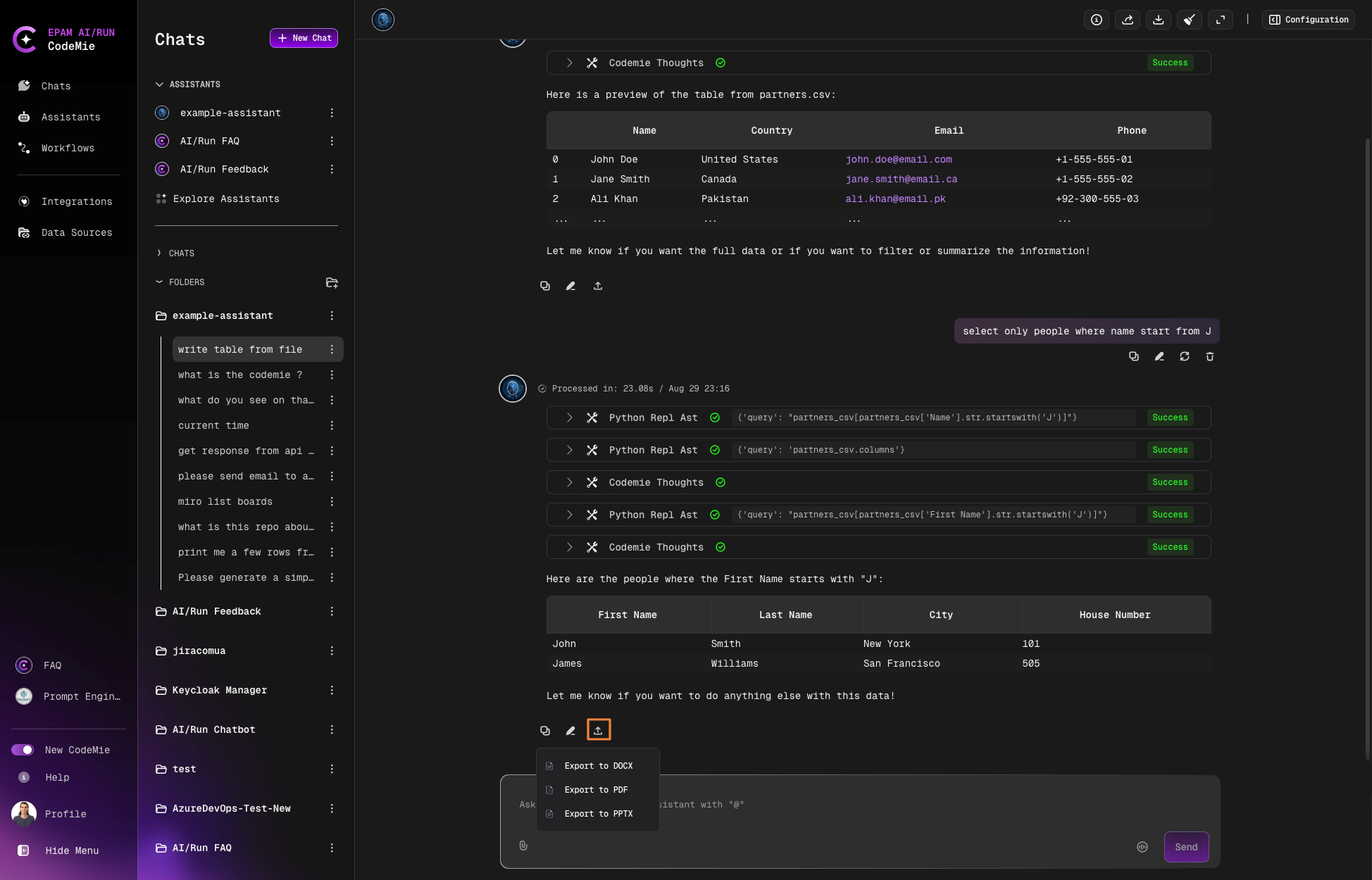
Click the Export button in the lower left corner of the message:
-
Select your preferred format:
Format Best For PowerPoint (PPTX) Presentations and slide decks Word (DOCX) Editing and document collaboration PDF Sharing with preserved formatting -
The file will download automatically to your device.
Included Content
- Final rendered assistant response
- Tables (rendered as actual tables)
- Code blocks (with syntax highlighting)
- Lists and bullet points
- Images and diagrams
- Text formatting (bold, italic, headers)
Excluded Content
- Tools section information
- System metadata
- Chat history context
- User messages (only the selected assistant response)
Export Entire Conversation
Export the complete chat history including all messages.
Export Steps
-
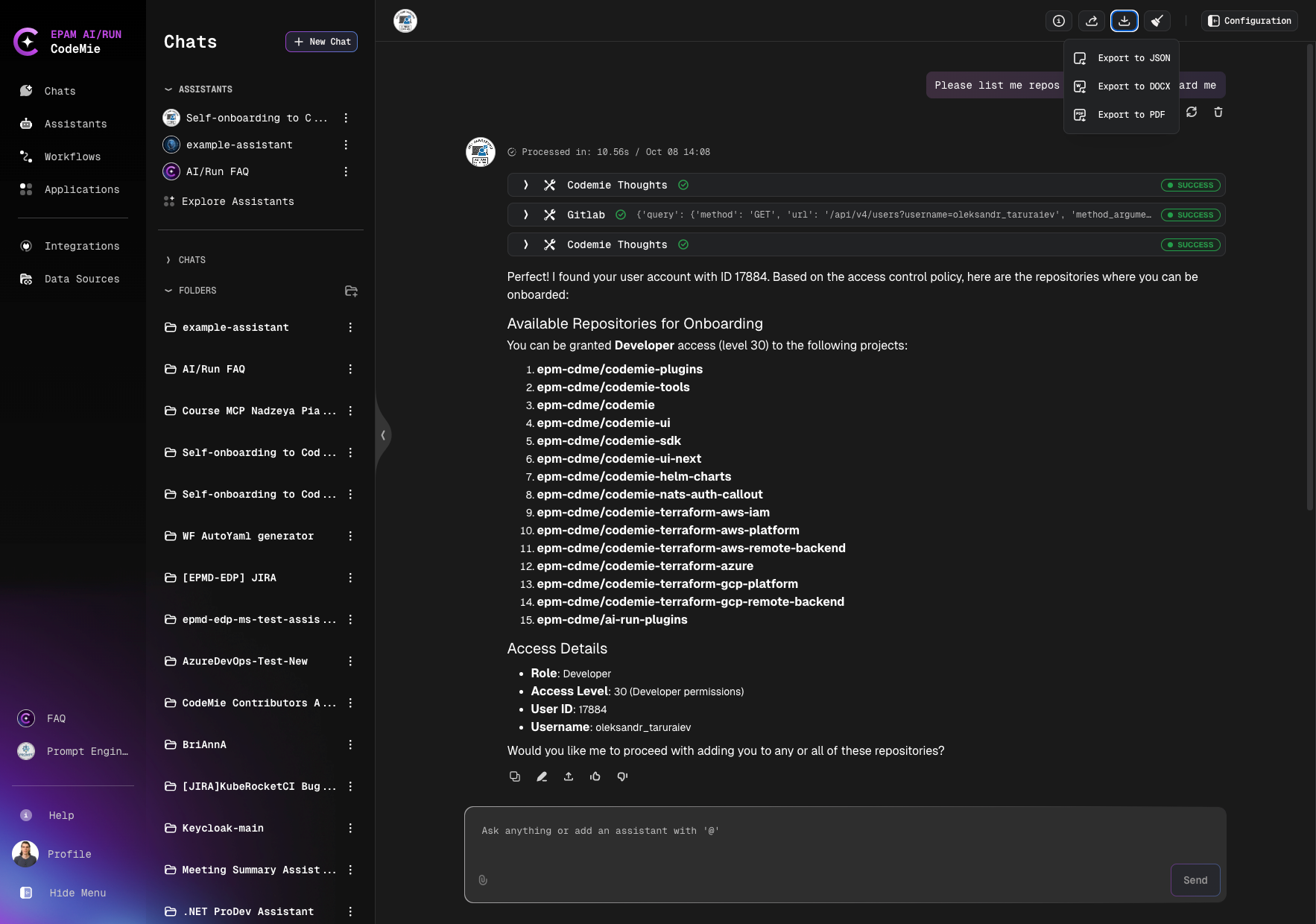
Click the Export button in the top right corner of the chat window.
-
Select your format:
Format Best For JSON Data processing and archiving Word (DOCX) Editable documentation PDF Read-only distribution PowerPoint (PPTX) Presentation materials -
Review the preview:
-
Confirm and download.
Full Conversation Content
When exporting the entire conversation, the file includes:
- All user messages
- All assistant responses
- Timestamps
- Conversation metadata
- File attachments (where supported by format)
Export conversations to Word format for creating documentation, then convert to PDF for final distribution. This preserves formatting while allowing intermediate editing.
Markdown elements like tables, code blocks, and formatted text are properly rendered in all export formats. Code syntax highlighting is preserved in DOCX and PDF exports.