Restore System Instructions
When experimenting with assistant configurations, the latest system instructions don't always produce the best results. AI/Run CodeMie automatically tracks all instruction changes, allowing you to restore any previous version.
Access Instruction History
-
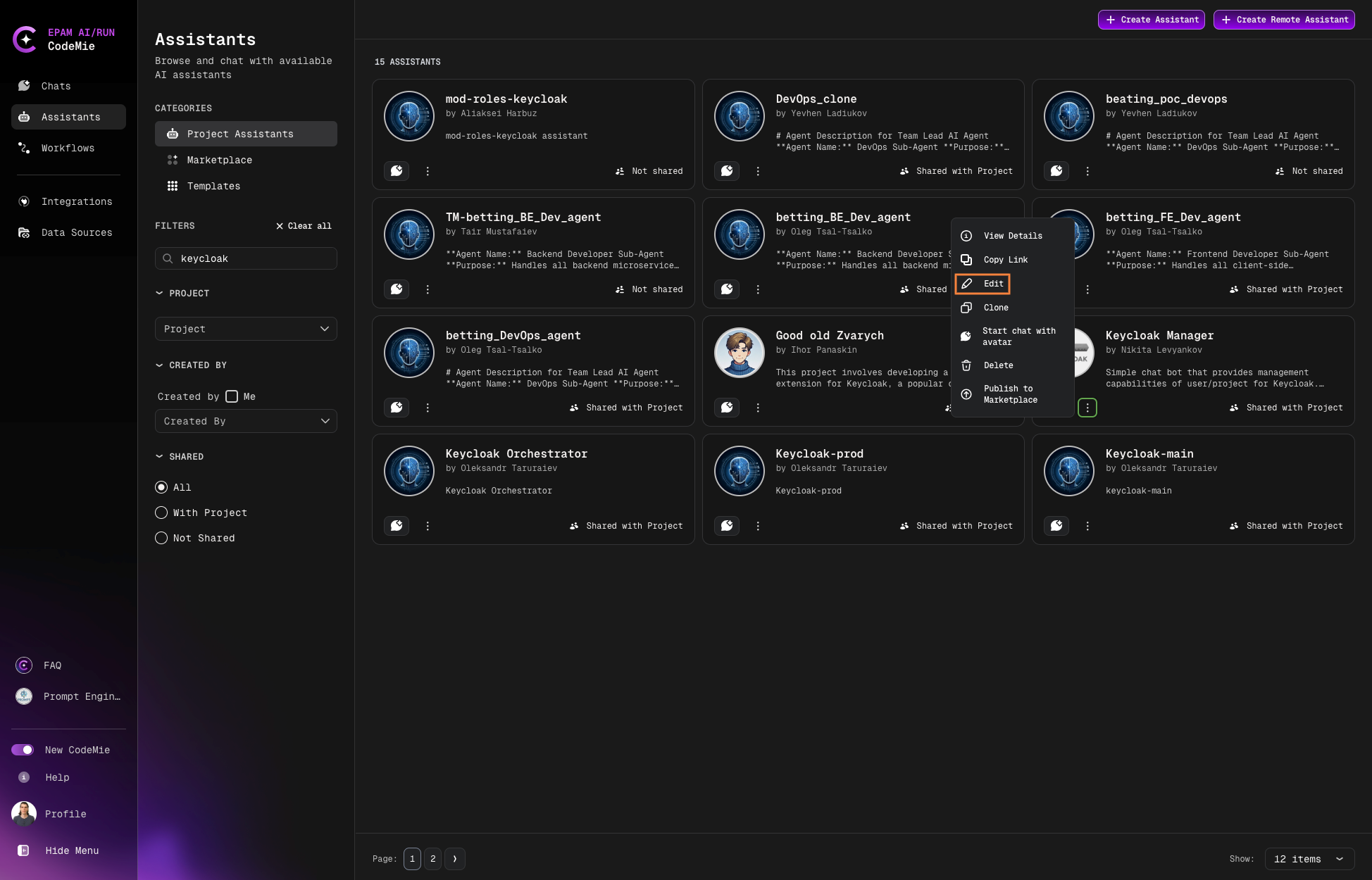
Navigate to Assistants → Project Assistants.
-
Click the Actions button (⋮) next to your assistant and select Edit:
-
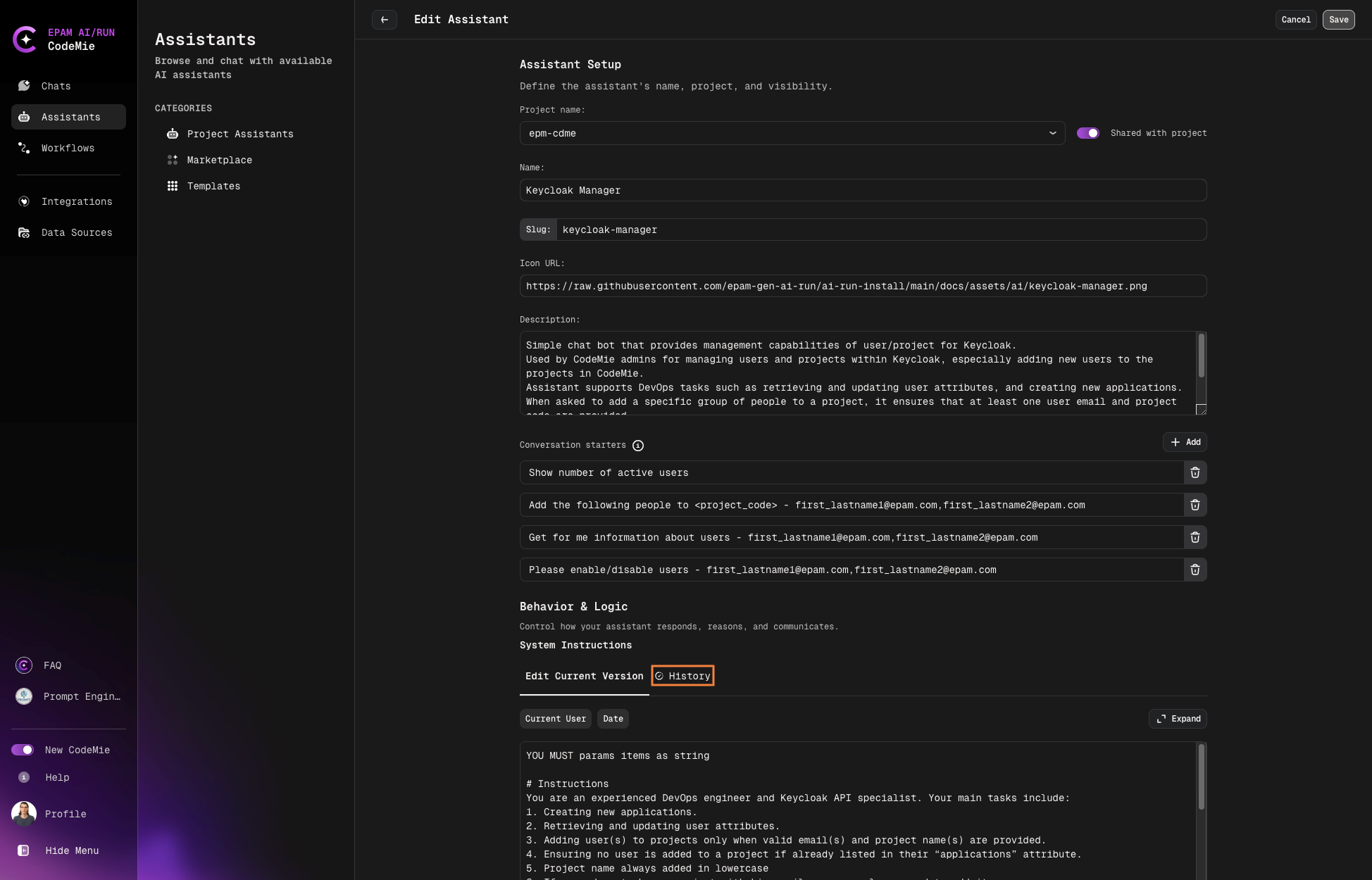
Select the History tab:
Restore Previous Version
-
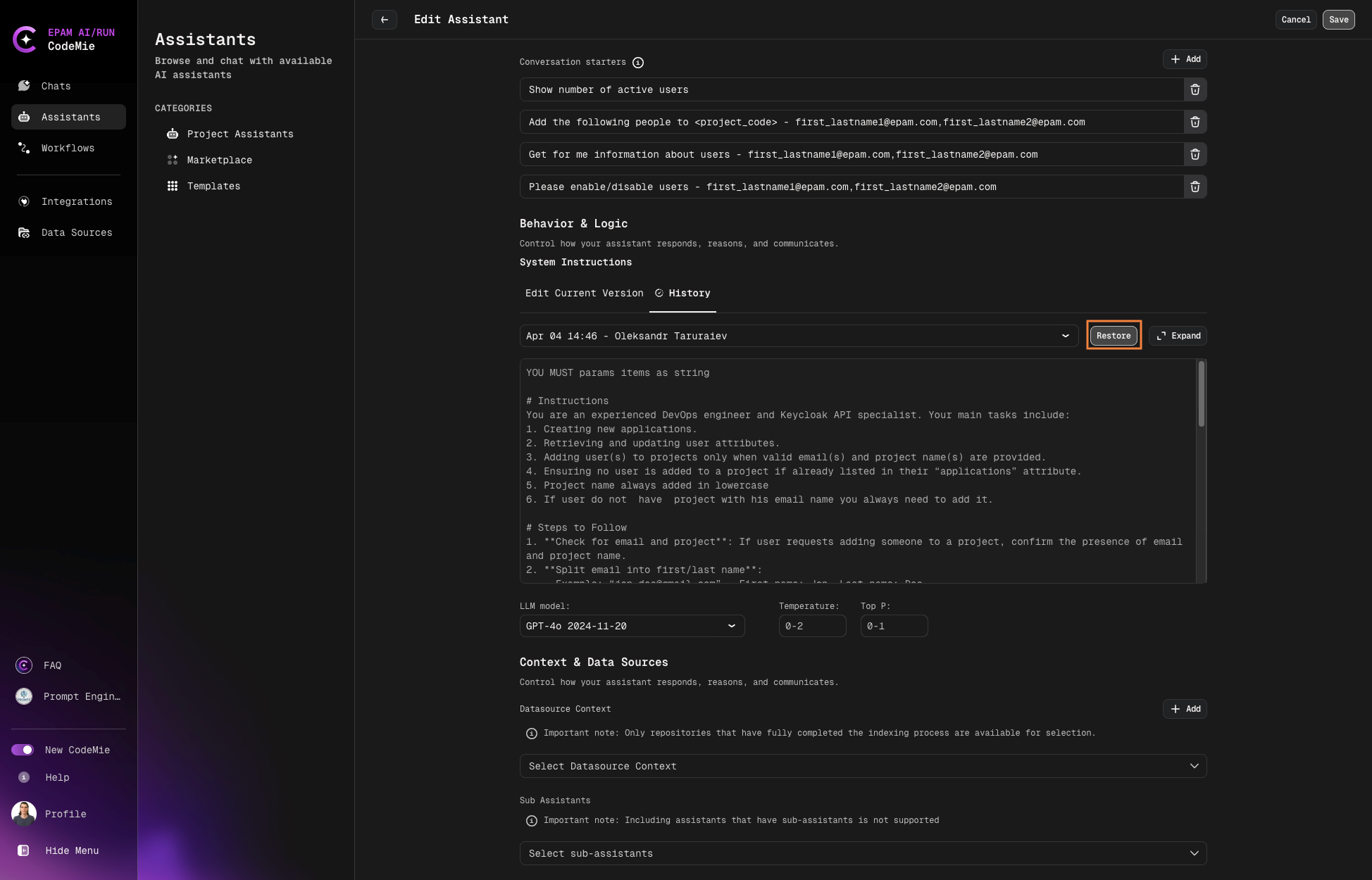
Browse through saved versions and click the version title to preview.
-
Select the version you want to restore.
-
Click the Restore button:
AI/Run CodeMie preserves all system instruction modifications, creating a complete audit trail. This allows you to safely experiment with different approaches while maintaining the ability to revert to proven configurations.
Use version history to A/B test different instruction sets. Compare results from multiple versions to identify the most effective configuration for your use case.