Group Chats
Group chats provide a unified interface for interacting with multiple assistants without switching between individual conversations. This streamlines workflows and reduces chat clutter.
What Are Group Chats?
Group chats are not linked to a specific assistant. Instead, you can address any available assistant within the same conversation using the @ mention system.
Benefits:
- Communicate with multiple assistants in one place
- Eliminate context switching between chats
- Avoid creating numerous single-purpose chats
- Maintain conversation flow while delegating to different assistants
Create a Group Chat
-
Start a new chat without selecting a specific assistant.
-
Type
@to see the list of available assistants: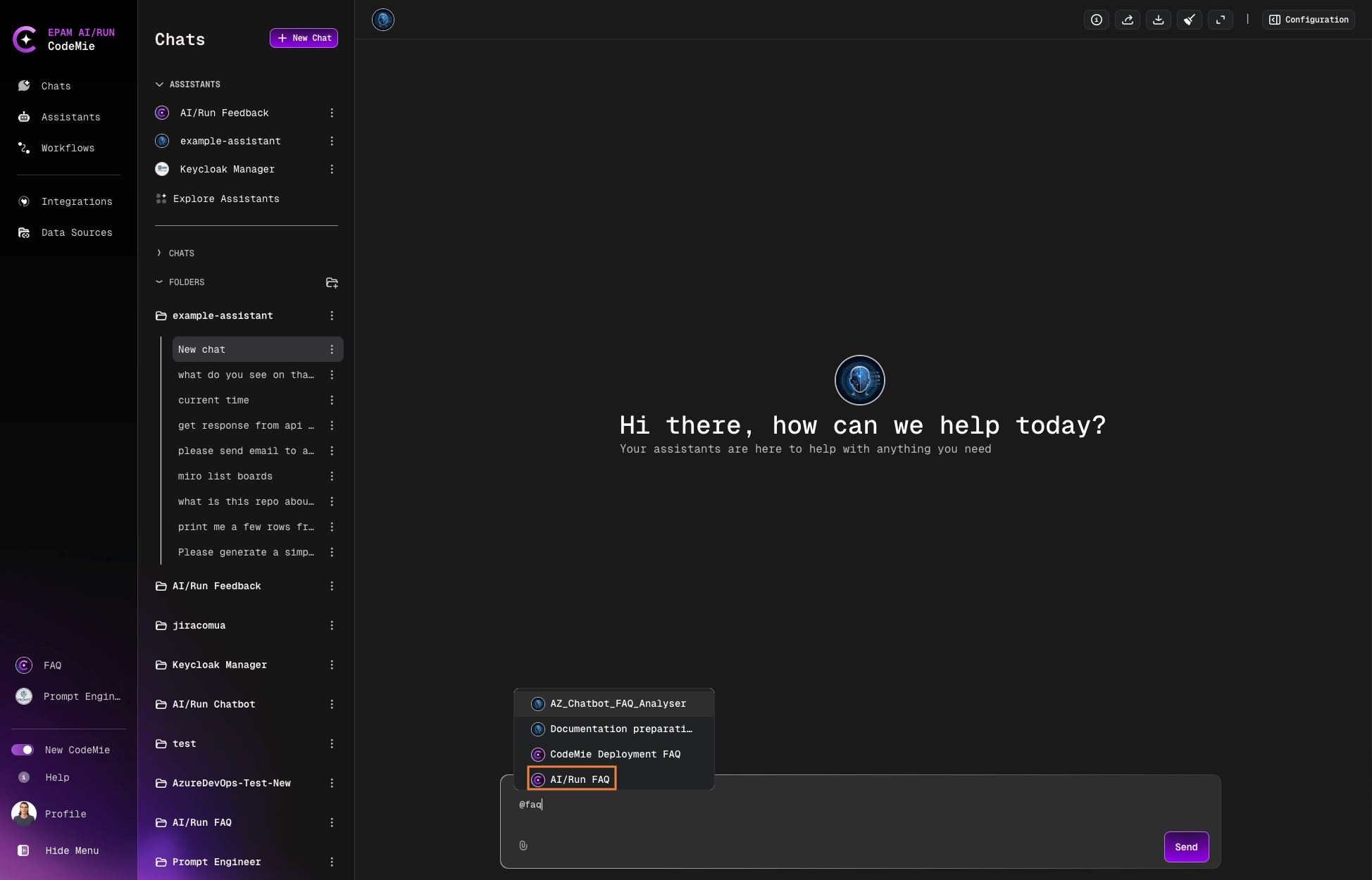
-
Select an assistant from the list and ask your question:
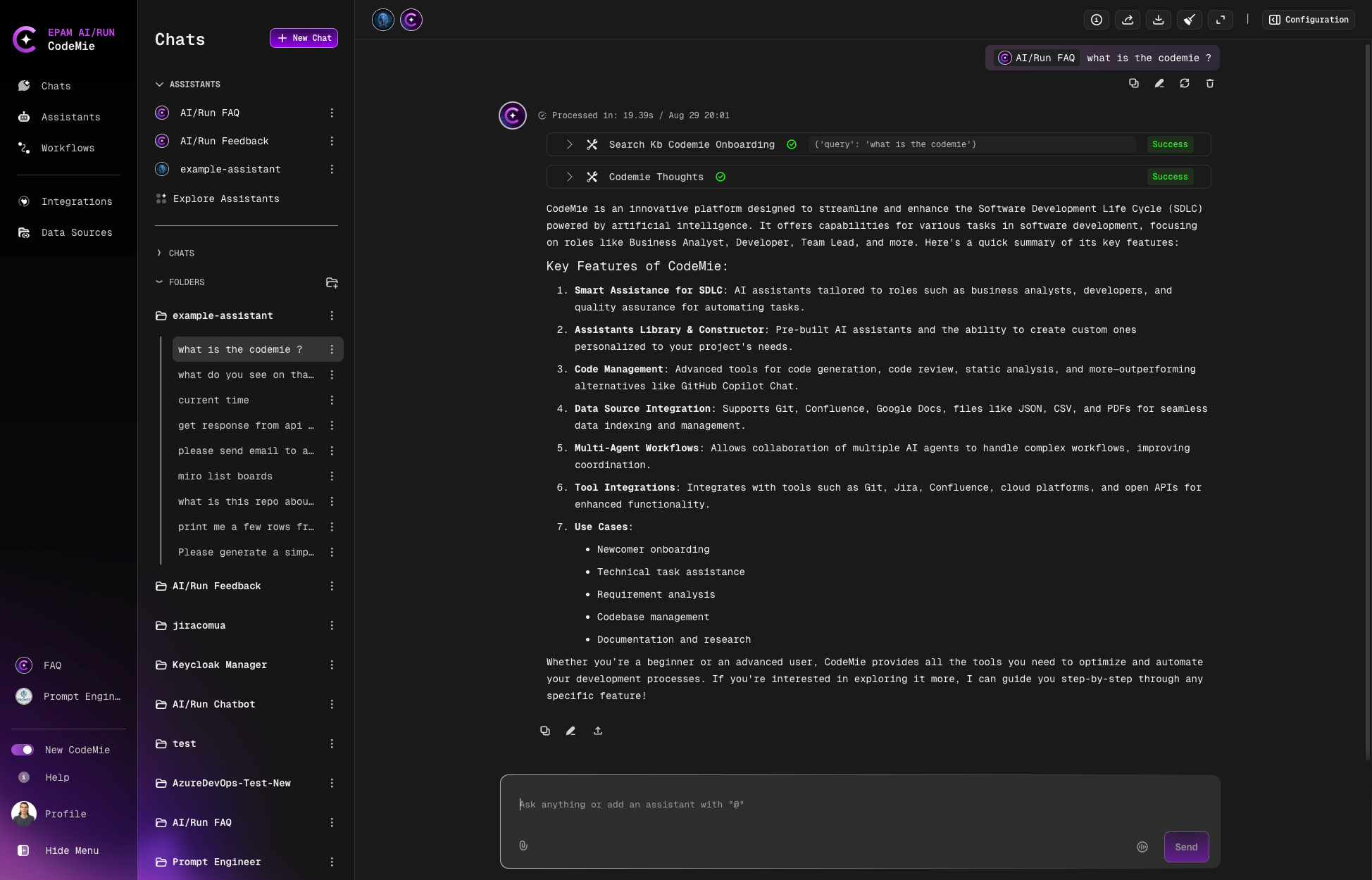
Switch Between Assistants
All subsequent messages will be directed to the most recently mentioned assistant. To switch assistants:
-
Type
@and select a different assistant. -
The assistant's portrait will update to indicate the active assistant.
-
Continue your conversation with the new assistant.
Each assistant uses its configured model to process requests. If you don't specify a model explicitly, the assistant will use the default model from its configuration.
The first message in a group chat must always mention an assistant using the @ symbol. This establishes the initial context for the conversation.